

A paper jam in your Bonsaii C266-A shredder can be frustrating, but don’t worry—it’s a common issue that can often be fixed quickly with a few simple steps. Whether you’re shredding sensitive documents, credit cards, or old paperwork, the last thing you want is a shredder malfunction. Fortunately, this guide will help you troubleshoot and resolve any paper jam issues you encounter, so you can get back to shredding without hassle.
In this complete troubleshooting guide, we’ll walk you through the reasons behind paper jams in the Bonsaii C266-A, how to fix them, and best practices to prevent future jams. Armed with insights from the user manual, this guide will ensure you maintain your shredder in optimal condition, improving its longevity and performance.
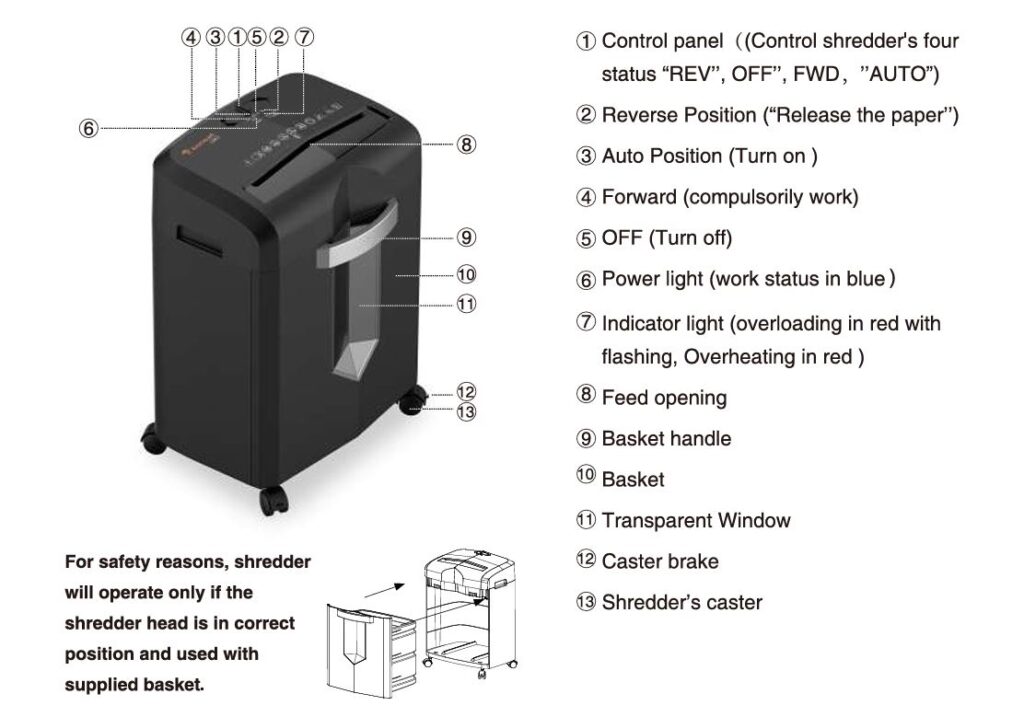
Why Does a Paper Jam Happen in Bonsaii C266-A Shredder?
Before diving into troubleshooting steps, it’s important to understand why paper jams occur in the first place. A paper jam in the Bonsaii C266-A Cross Cut Shredder can happen for several reasons:
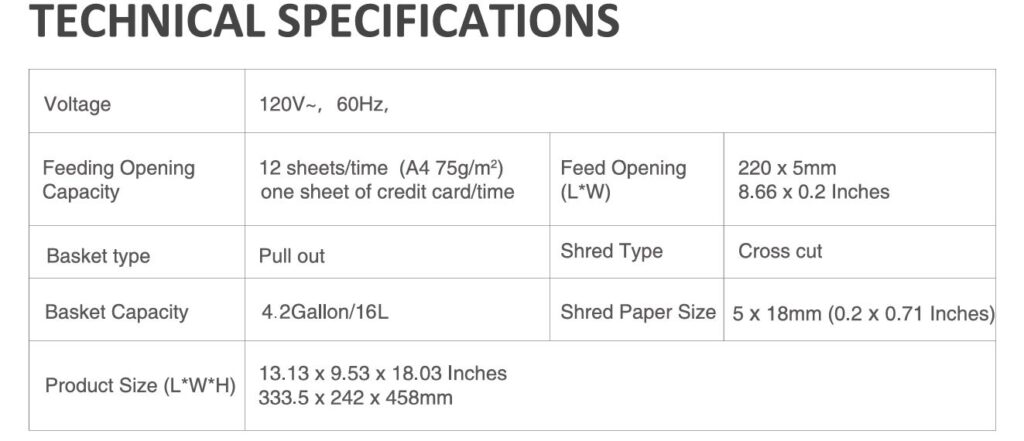
- Overloading the Shredder: The most common cause of a paper jam is trying to shred too many sheets at once. The Bonsaii C266-A can handle up to 12 sheets of paper at once (A4, 75g/m²). Exceeding this capacity can lead to paper clogging in the shredder.
- Incorrect Paper Type: Inserting the wrong type of paper can also cause jams. Materials like cardboard, plastic film, or fabric are not meant for shredding and could damage the machine.
- Clogs from Staplers and Paperclips: If you’re shredding documents with staples or paperclips still attached, these can get caught in the shredder, leading to a jam. While the Bonsaii C266-A is designed to handle credit cards and paper clips, excessive staples can still cause problems.
- Dirty or Worn-out Blades: If the cutting blades are clogged with paper dust or debris, they may struggle to shred properly, causing a jam. Regular maintenance is crucial to keep your shredder in peak working condition.
- Overheating: The shredder may overheat if it has been in continuous use for too long, and the motor will shut down automatically as a safety measure. This can create an indirect paper jam, especially if you try to force the shredder to run after it has overheated.
Troubleshooting a Paper Jam in the Bonsaii C266-A Cross Cut Shredder
If your Bonsaii C266-A is stuck with a paper jam, follow these step-by-step instructions to fix the issue. These tips are directly based on the instructions provided in the official user manual.
1. Turn Off the Shredder and Unplug It
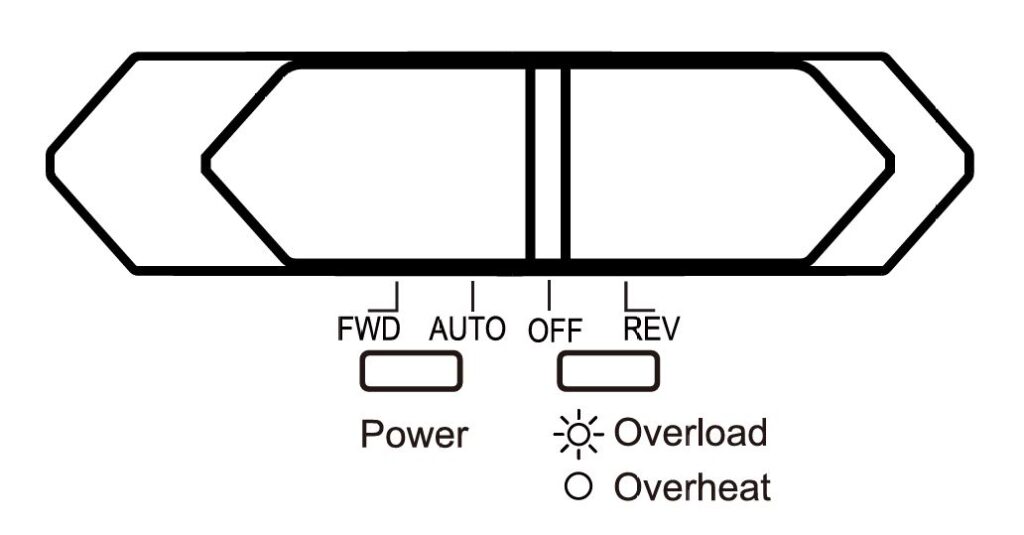
Safety is always the first priority when dealing with any electrical appliance. Before you start addressing the paper jam, ensure that the shredder is turned off and unplugged. This will prevent any accidents while working with the machine.
2. Move the Shredder Control Panel to Reverse Mode (REV)
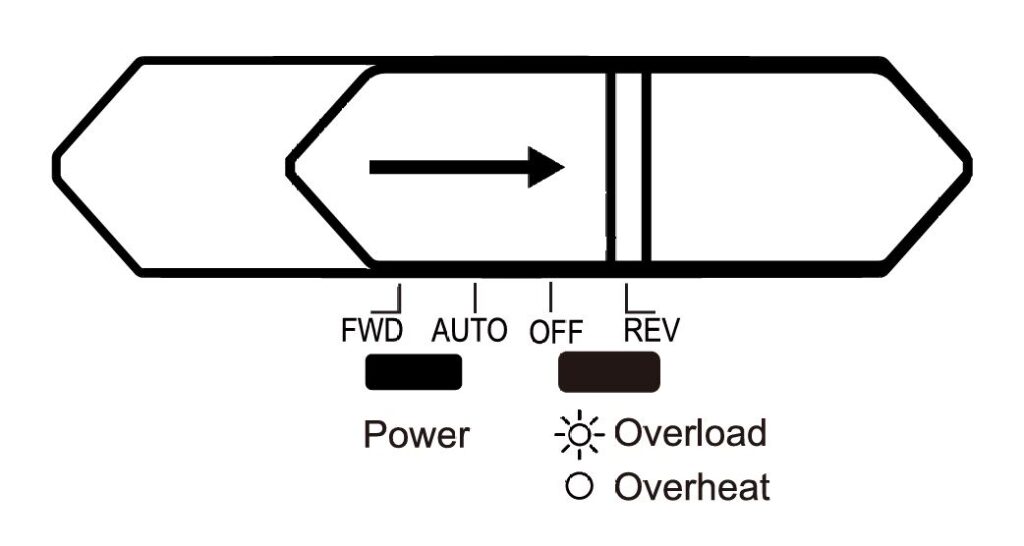
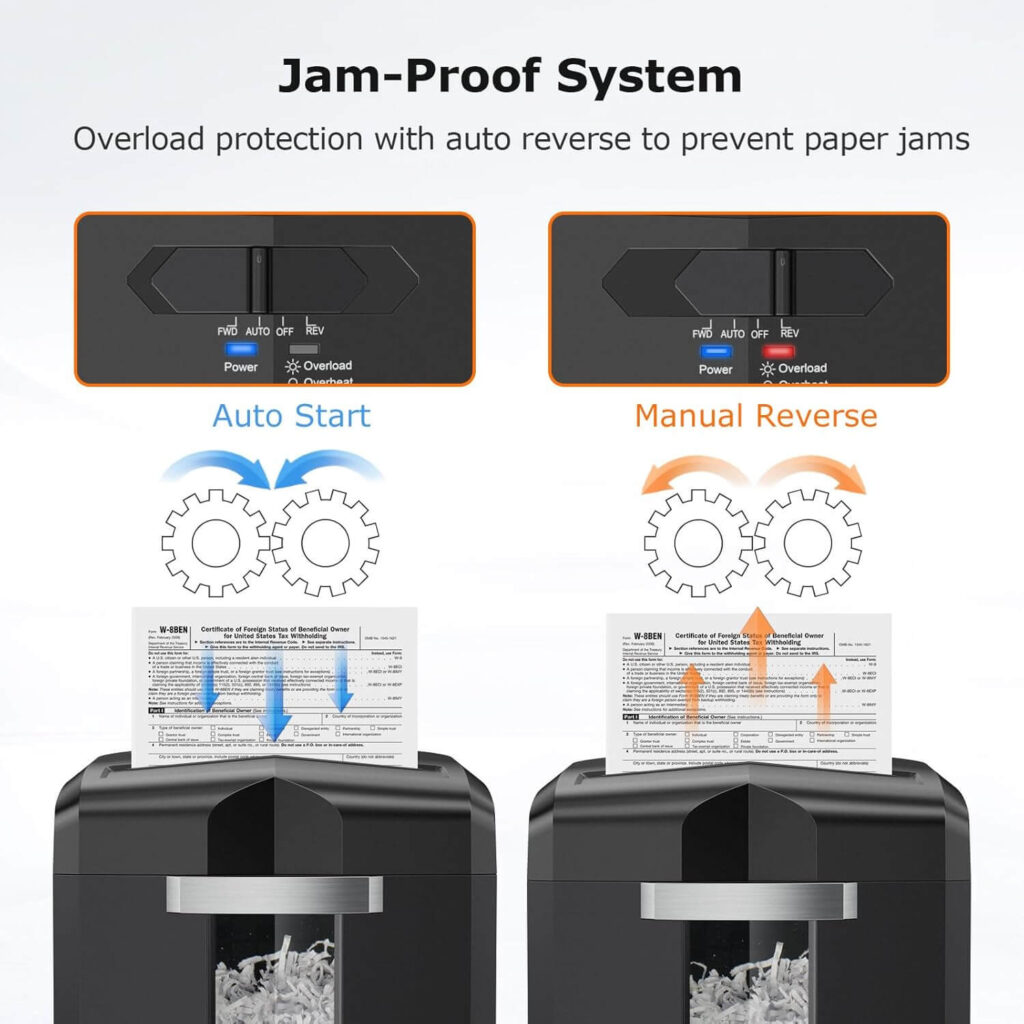
Once the shredder is unplugged, move the control panel to the “REV” (Reverse) position. The reverse function helps to release the jammed paper by moving the blades in the opposite direction. This should help loosen the paper that is causing the blockage.
- Power Light: The power light will be blue when the shredder is in reverse mode.
- Pull Out the Jammed Paper: While the shredder is in reverse mode, carefully pull the jammed paper out. Gently grab the paper and remove it. Be sure not to pull too hard to avoid damaging the blades.
3. Check for Additional Paper Debris
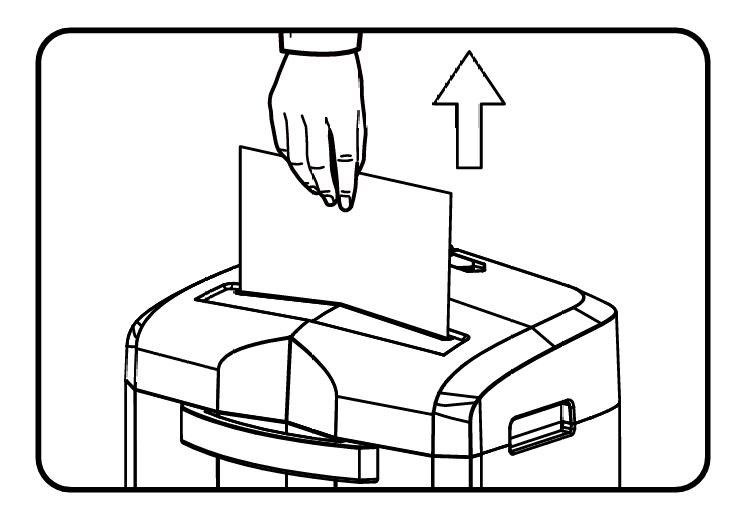
Sometimes, a jam can occur due to small bits of paper debris or dust that clog the mechanism. After removing the visible paper, check the blades and the area around the feed opening to see if there are any leftover bits.
- Use a soft cloth or cotton swab to gently clean around the blades and feed opening. Do not use any cleaning liquids or water, as this can lead to electrical issues or rusting.
4. Move the Control Panel Back to Forward (FWD) Mode
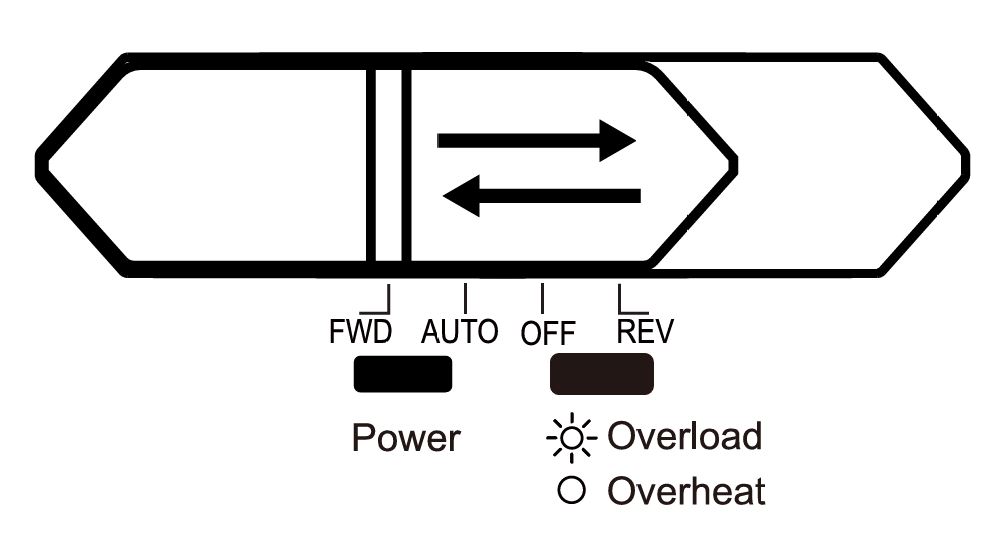
Once you’ve cleared out the jammed paper, move the control panel back to the “FWD” (Forward) position for a few seconds. This action ensures the shredder runs properly and will help in pushing any residual paper fragments through the blades. You may need to repeat this process 2-3 times if the jam was particularly severe.
5. Check for Overheating or Overload
If the paper jam persists even after using the reverse function, it could be due to an overload or overheating issue. Here’s how to address both problems:
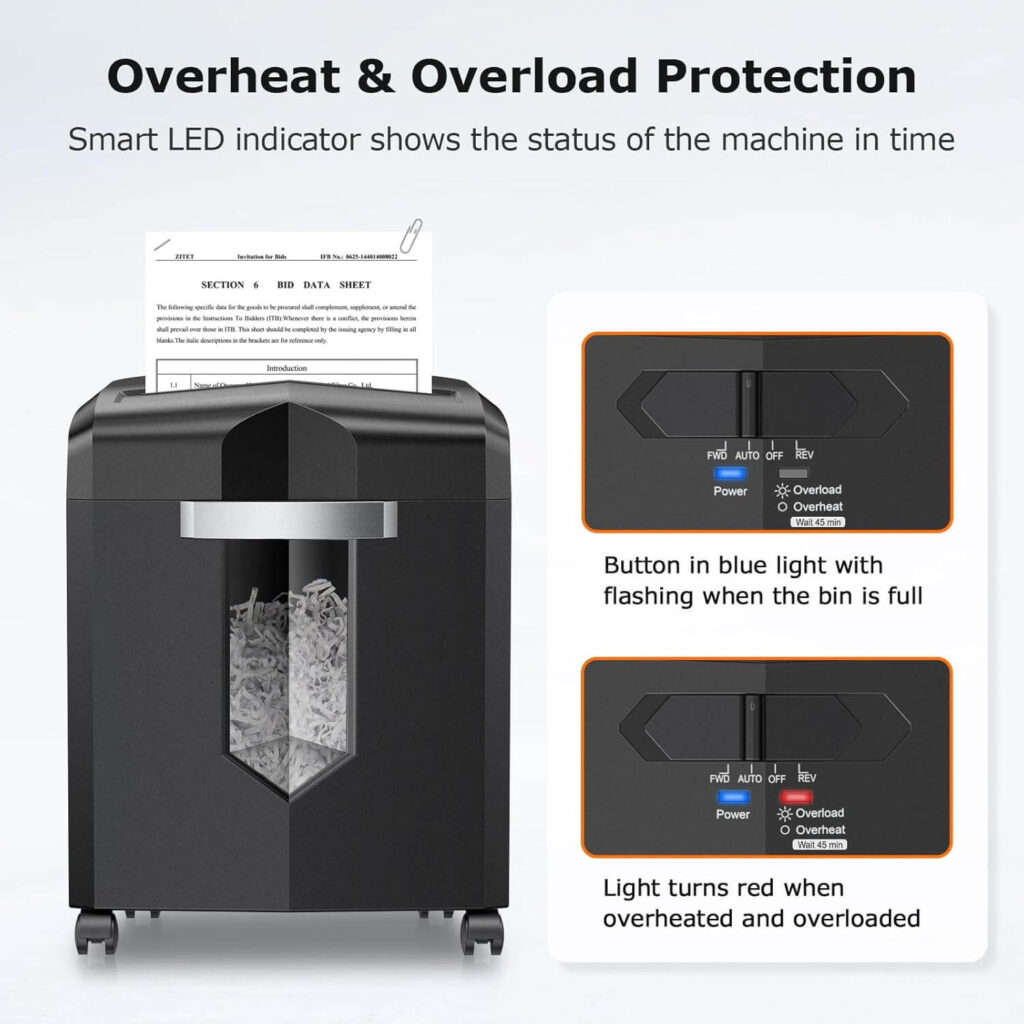
- Overload: If you’ve been shredding too many sheets at once, the shredder may have gone into overload mode. The power light will remain blue, while the indicator light flashes red when the shredder is overloaded. If this happens, reduce the number of sheets and try again.
- Overheating: If the shredder has been in continuous use for too long, the motor may have overheated. The indicator light will be red, indicating that the shredder is cooling down. Simply wait for around 45 minutes for the shredder to cool down before using it again.
6. Ensure Proper Paper Loading
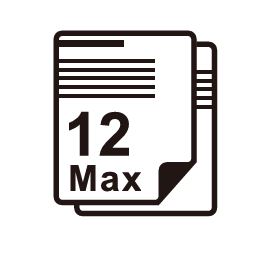
One of the easiest ways to prevent paper jams is by ensuring that you are not overloading the shredder. The Bonsaii C266-A has a maximum capacity of 12 sheets per pass. Do not try to exceed this limit, as it could result in a jam.
Also, avoid inserting adhesive tape, carbon paper, or plastic film, as these materials can damage the shredder.
Preventing Future Paper Jams in the Bonsaii C266-A
Now that you know how to troubleshoot and fix paper jams, here are some best practices to prevent them from occurring in the future:
- Stick to the Sheet Capacity: Always shred paper in batches of 12 sheets or less. Overloading the shredder is a common cause of jams.
- Remove Staples and Paperclips: While the Bonsaii C266-A can shred paperclips, it’s a good idea to remove any large staples or paper clips to avoid clogging.
- Regularly Clean the Shredder: Dust and paper debris can accumulate in the blades over time, leading to jams. Use a soft cloth or cotton swab to clean the blades and feed opening after each use.
- Lubricate the Shredder Regularly: Regular lubrication can help the shredder work more efficiently, reducing the chances of paper jams. Use only Bonsaii shredder lubricant for optimal performance.
- Avoid Overheating: If you need to shred a large amount of paper, consider taking breaks to prevent overheating. Allow the shredder to cool down after each batch.
Frequently Asked Questions (FAQs)
How do I fix a paper jam in the Bonsaii C266-A?
To fix a paper jam, turn the shredder off and unplug it. Move the control panel to “REV” (reverse), pull out the jammed paper, then switch back to “FWD” to clear any debris.
How do I prevent future paper jams in the Bonsaii C266-A?
Avoid overloading the shredder with more than 12 sheets of paper. Regularly clean and lubricate the shredder, and remove any staples or paper clips before shredding.
Why does my Bonsaii C266-A shredder keep jamming?
The most common reasons for jams include overloading, incorrect paper type, or dirty blades. Ensure you’re following the manufacturer’s guidelines for sheet capacity and material types.
What should I do if my shredder keeps overheating?
If the shredder overheats, wait for about 45 minutes for it to cool down. Avoid continuous shredding sessions, and make sure to give the shredder a break.
Conclusion
Paper jams are an inevitable part of using any paper shredder, but they don’t have to be a cause for concern. By following this troubleshooting guide and using the best practices outlined above, you can quickly fix paper jams and keep your Bonsaii C266-A Cross Cut Paper Shredder running smoothly.
Remember to regularly maintain your shredder, avoid overloading it, and always use the correct materials for shredding. With a little care, your Bonsaii C266-A will provide reliable performance for years to come, making document shredding safer and more efficient.