

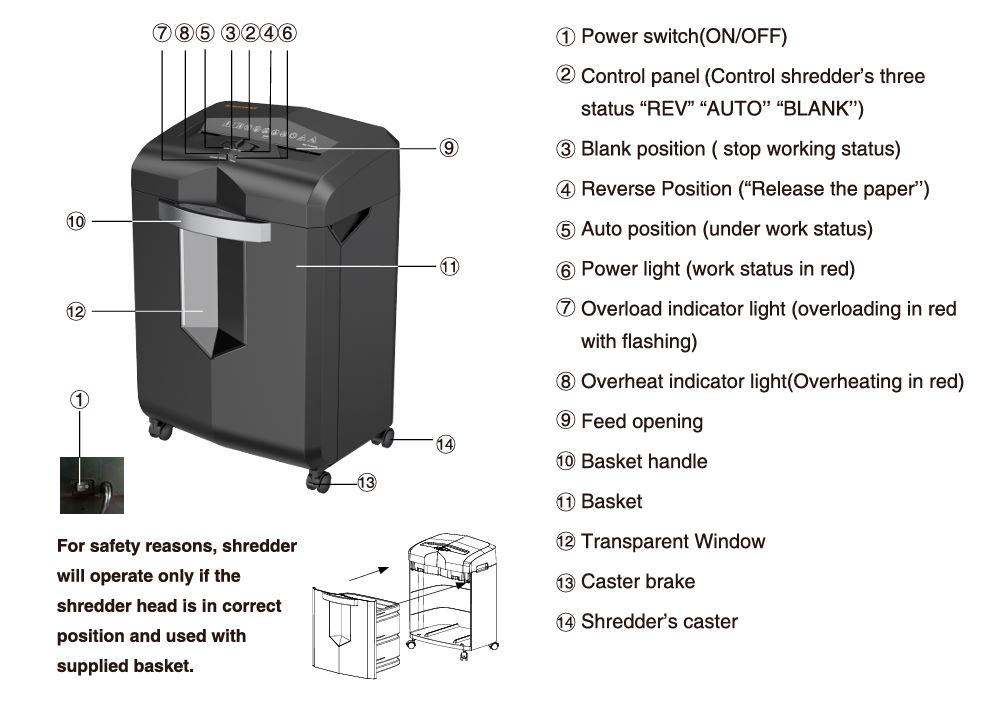
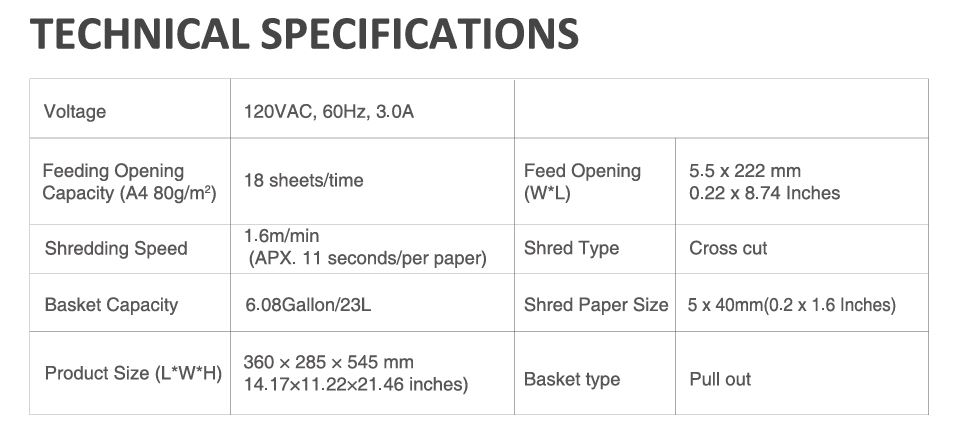
The Bonsaii C149-C shredder is a robust and reliable machine, capable of shredding up to 18 sheets of paper in one go. However, like any heavy-duty device, it may sometimes encounter overloading issues. In this blog post, we’ll guide you through troubleshooting steps for resolving overloading problems, ensuring that your shredder operates smoothly and efficiently.
Understanding the Overloading Issue in Bonsaii C149-C
Overloading occurs when the shredder exceeds its maximum sheet capacity or encounters materials it cannot process effectively. The C149-C is designed to handle up to 18 sheets of standard paper at a time. However, exceeding this limit or inserting prohibited materials like adhesive tape, carbon paper, or plastic can trigger the overload indicator light, halting operations to protect the machine.
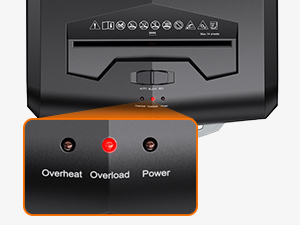
Causes of Overloading
Several factors can contribute to overloading issues:
- Exceeding Sheet Capacity: Feeding more than 18 sheets simultaneously.
- Improper Materials: Shredding items such as plastic, fabric, or adhesive materials.
- Paper Jams: Papers not fed properly, causing buildup.
- Dust and Debris: Accumulated particles covering the sensors.
- Continuous Usage: Operating the shredder beyond its recommended usage time, leading to overheating.
How to Troubleshoot Bonsaii C149-C Shredder Overloading Issues
Dealing with overloading issues on your Bonsaii C149-C shredder can feel daunting, but the process is straightforward if you follow the steps carefully.
Here’s an expanded guide to troubleshooting overloading problems:
1. Recognize the Overload Indicator
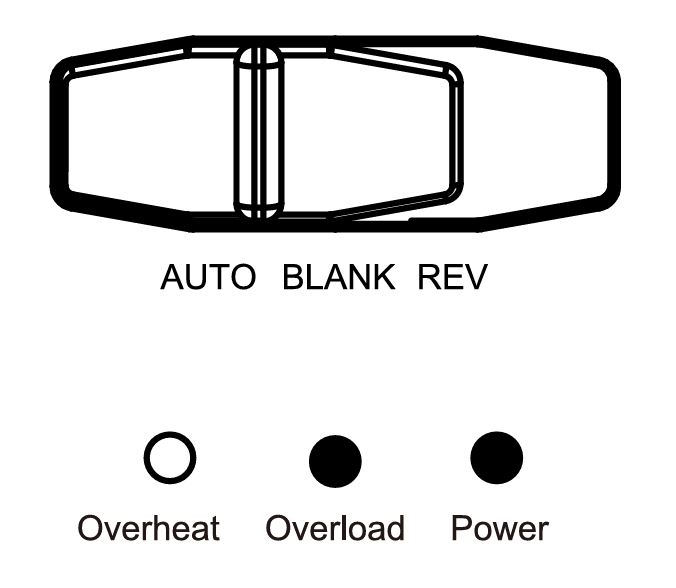
The shredder’s overload indicator light flashes red when it detects overloading, and the power light also turns red to signal that the machine has halted operation. This is a built-in safety mechanism to prevent damage to the motor and internal components.
Ignoring these signals can lead to permanent damage. The indicator gives you a chance to address the issue before it escalates.
2. Turn Off the Shredder
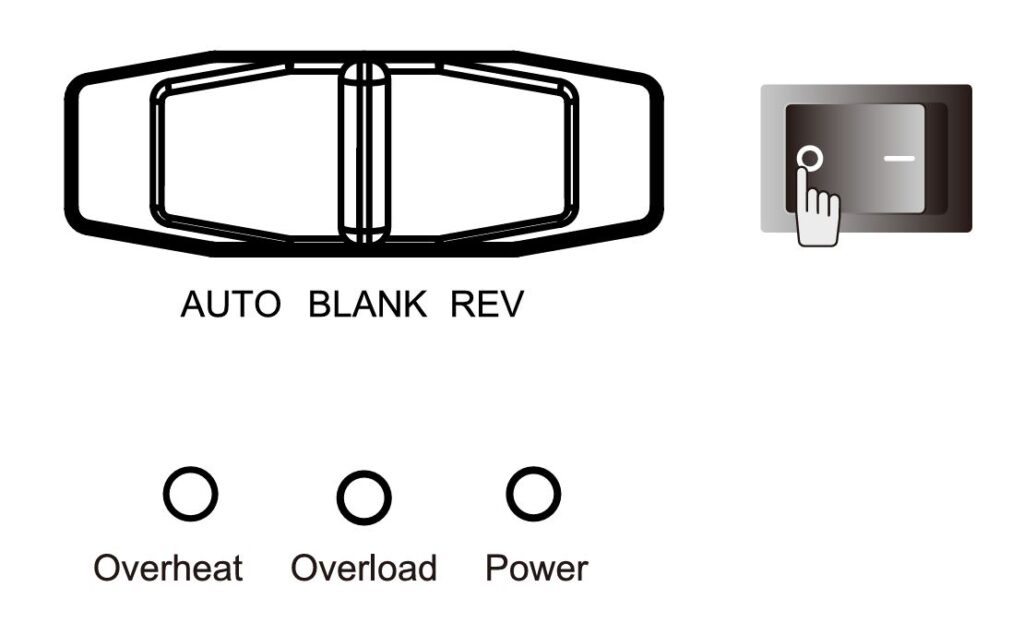
Steps:
- Move the control panel to the “Blank” position to stop the machine.
- Turn off the power switch to ensure complete shutdown.
- Unplug the shredder to eliminate any risk of electric shock during troubleshooting.
Turning off and unplugging the shredder ensures your safety and prevents accidental activation while you address the issue.
3. Remove Excess Paper
What to Do:
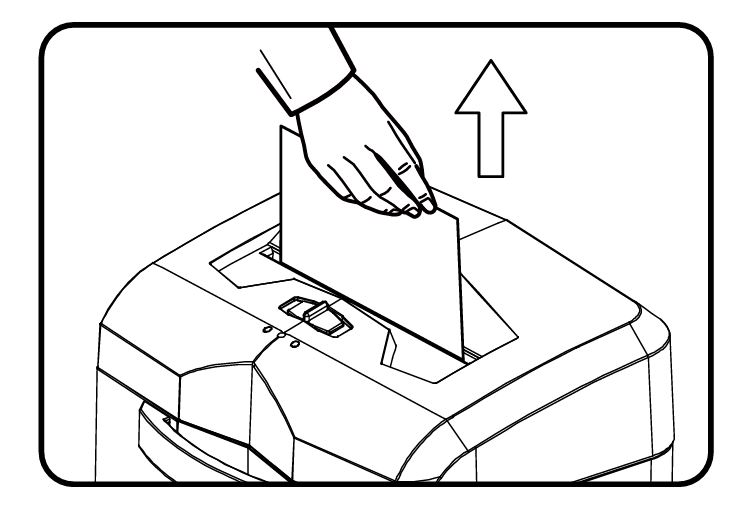
- Open the shredder head and inspect the feed opening.
- Gently pull out any excess paper that may be causing the overload.
Pro Tip: Use both hands to evenly pull the paper to avoid tearing, which could make the removal process harder.
Overloading often occurs because too many sheets are fed simultaneously. Removing the excess restores the shredder’s ability to function.
4. Use the Reverse Function
Steps:
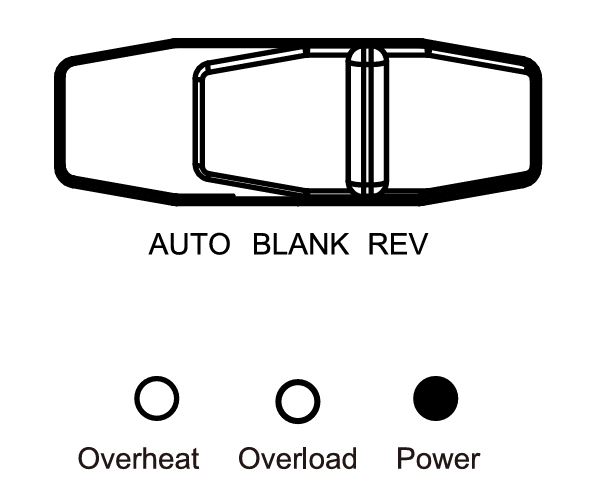
- Set the control panel to the “REV” (reverse) position and hold it there for 3-5 seconds.
- If the jam persists, repeat this process 2-3 times.
Advanced Tip: For severe jams, alternate between the “REV” and “AUTO” positions to dislodge stubborn material.
The reverse function is designed to release jammed paper by reversing the motor’s direction, making it easier to pull out the obstructing materials.
5. Empty the Basket
How to Do It:
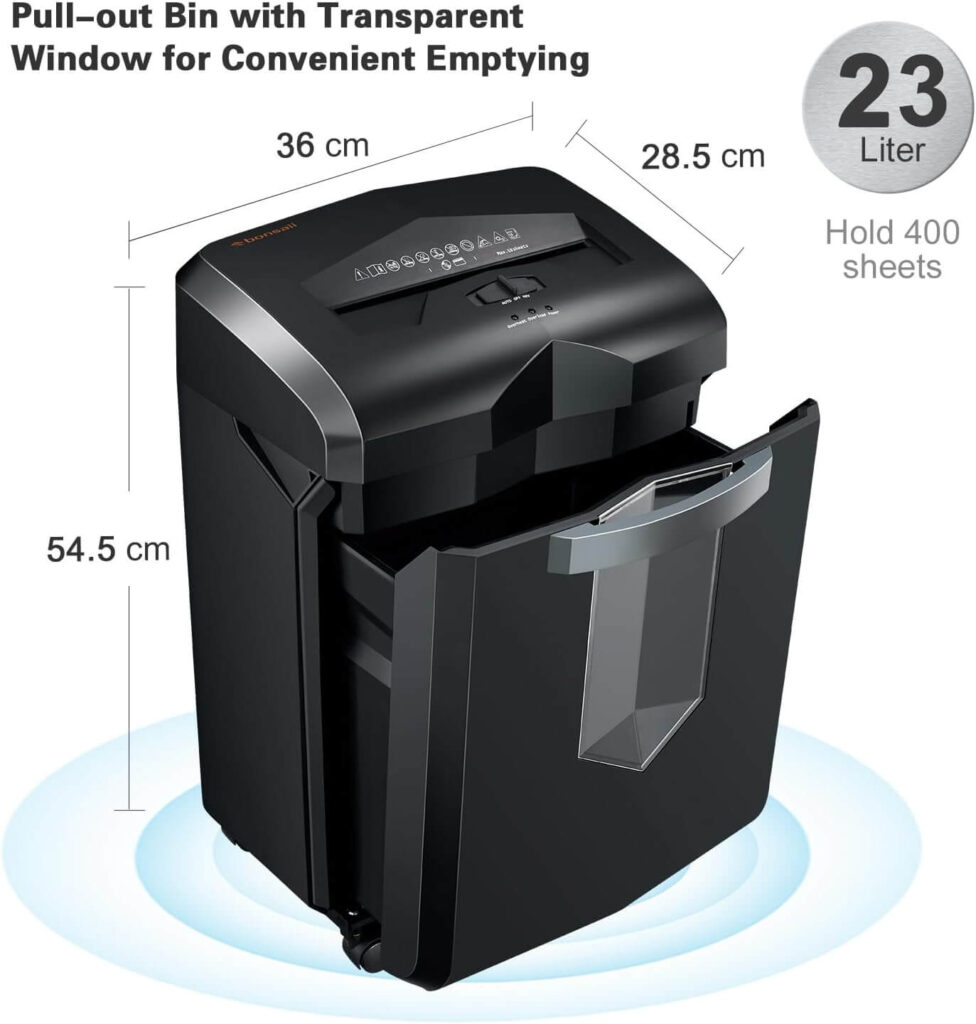
- Pull out the shredder’s basket and check for paper buildup.
- Dispose of the shredded paper properly and ensure the basket is reinstalled correctly.
A full basket puts strain on the machine, as it cannot process additional paper when the container is already full. Keeping the basket empty ensures smooth operations.
6. Inspect for Prohibited Materials
Check for Items Such As:
- Adhesive tape
- Carbon paper
- Plastic film
- Thick cardboard
If you find prohibited materials, carefully remove them from the feed opening to avoid further issues. The C149-C shredder is not designed to handle certain materials, and forcing these through can damage the blades or motor.
7. Clean the Sensors
Steps:
- Unplug the shredder before cleaning.
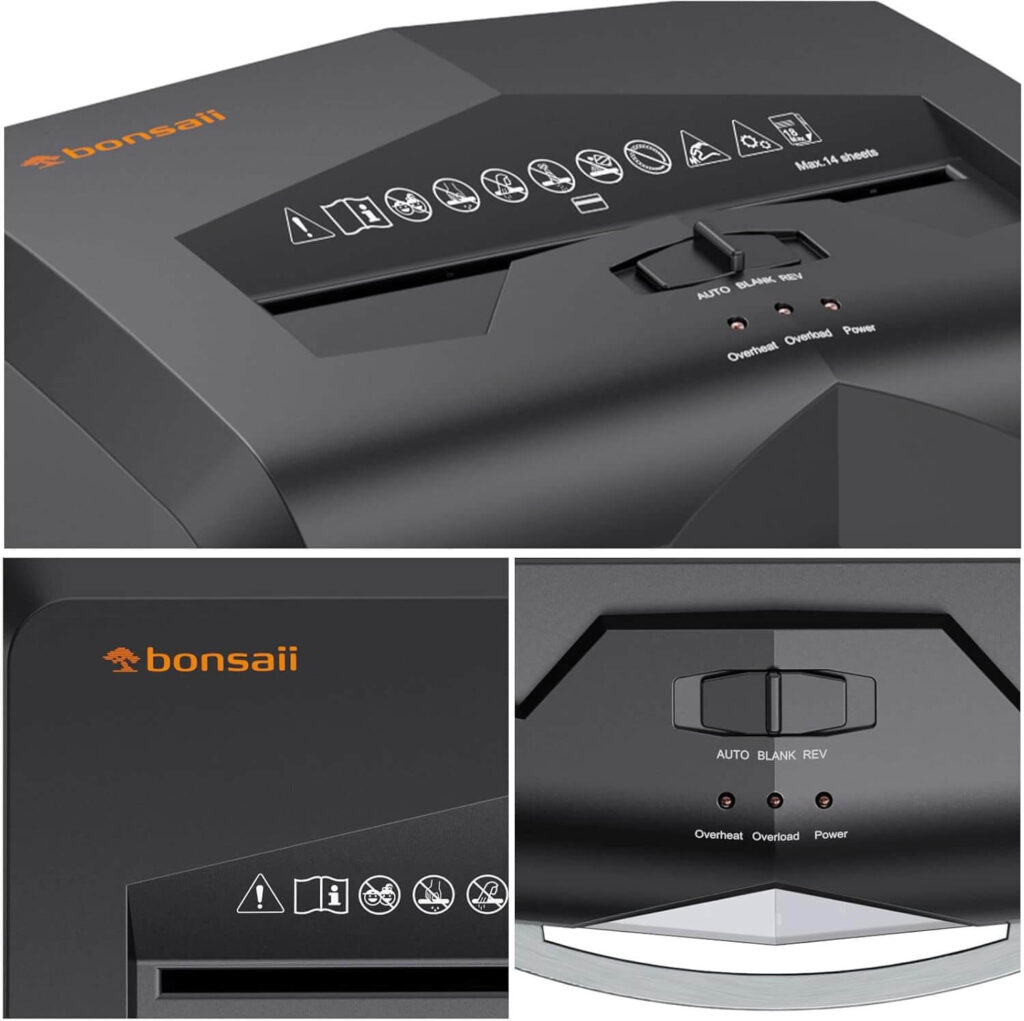
- Use a soft, dry cloth to wipe down the sensors in the feed opening.
- Avoid using water or cleaning agents, as these can damage the electronics.
Dust and debris can accumulate on the sensors over time, causing false overload signals. Regular cleaning keeps the sensors functioning accurately.
8. Restart and Test
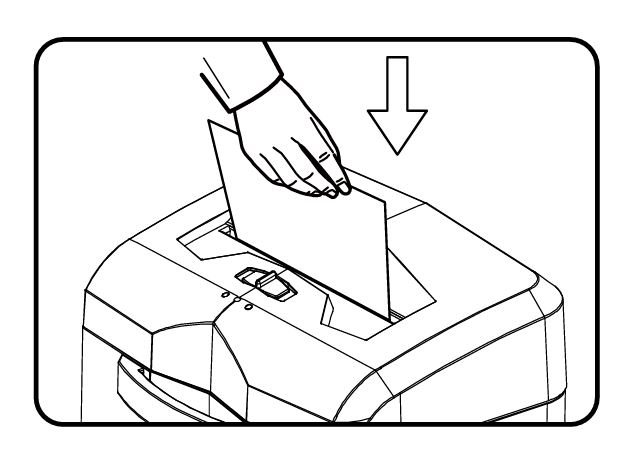
Steps:
- Plug the shredder back in and turn it on.
- Test the shredder with a smaller stack of paper (5-10 sheets) to ensure it is functioning properly.
Listen for unusual noises or observe if the overload indicator flashes again. If so, repeat the steps above or consult customer service. Restarting with a reduced load allows you to confirm that the issue has been resolved and prevents recurrence.
9. Allow Cooling Time
If the shredder is still not functioning after resolving overloading, it may have overheated due to prolonged use.
Steps:
- Turn off and unplug the shredder.
- Let it cool down for at least 20 minutes before attempting to use it again.
Overheating triggers the shredder’s safety mechanism, shutting it down to prevent damage. Allowing sufficient cooling time ensures the shredder can resume operations safely.
10. Inspect Power Supply
What to Check:
- Ensure the shredder is plugged into a stable power source.
- Confirm that the voltage matches the shredder’s requirements (120VAC, 60Hz).
Power fluctuations or low voltage can disrupt the shredder’s performance. Using a stable power source is crucial for optimal operation.
11. Use Shredder Lubricant Packs
Steps:
- Insert a shredder lubricant pack into the feed opening.
- Move the control panel between the “AUTO” and “REV” positions to evenly distribute the lubricant.
Regular lubrication reduces friction, keeps the blades sharp, and ensures the motor runs smoothly, preventing overloads caused by wear and tear.
Maintenance Tips to Prevent Overloading
- Stick to the Sheet Capacity: Avoid exceeding the 18-sheet limit.
- Avoid Prohibited Items: Shred only the recommended materials (paper, credit cards, staples, and clips).
- Use Shredder Lubricant Packs: Regularly lubricate the blades to maintain efficiency. Follow the manual’s instructions for proper lubrication.
- Clean the Sensors: Dust and debris can cover the sensors, causing operational issues. Use a soft cloth to clean the sensors regularly.
- Allow Cooling Time: If the shredder is used continuously for extended periods, let it cool for 20 minutes before resuming.
Common Questions About Overloading
What happens if I keep using the shredder when overloaded?
The machine’s safety features will prevent it from operating until the issue is resolved, protecting the motor from damage.
Can I shred more than 18 sheets if they’re lightweight?
It’s not recommended. Even lightweight paper can create strain if the stack is too thick.
Why does the shredder make loud noises?
Loud noises often indicate the shredder is placed on an unstable surface or has foreign objects lodged inside.
When to Contact Customer Service

If the above steps do not resolve the issue, it might be time to reach out to Bonsaii’s customer service:
- Email: customer-care@bonsaii.com
- Phone: +1-844-728-6917
Provide details about the problem, and if requested, share pictures or videos for a quicker resolution.
Conclusion
The Bonsaii C149-C shredder is a valuable tool for managing sensitive documents, but it requires proper care and attention to perform at its best. By understanding the causes of overloading and following the troubleshooting steps outlined in this guide, you can maintain your shredder’s longevity and efficiency. Regular maintenance and adherence to the manual’s recommendations are key to a smooth shredding experience.
For further assistance, don’t hesitate to contact Bonsaii’s friendly support team. Remember, a well-maintained shredder is a happy shredder!